Look downthe tracks.
Binocs is short for binoculars — the trusty tool train engineers used to inspect what's coming down the line. Now you can do the same for your Rails requests.
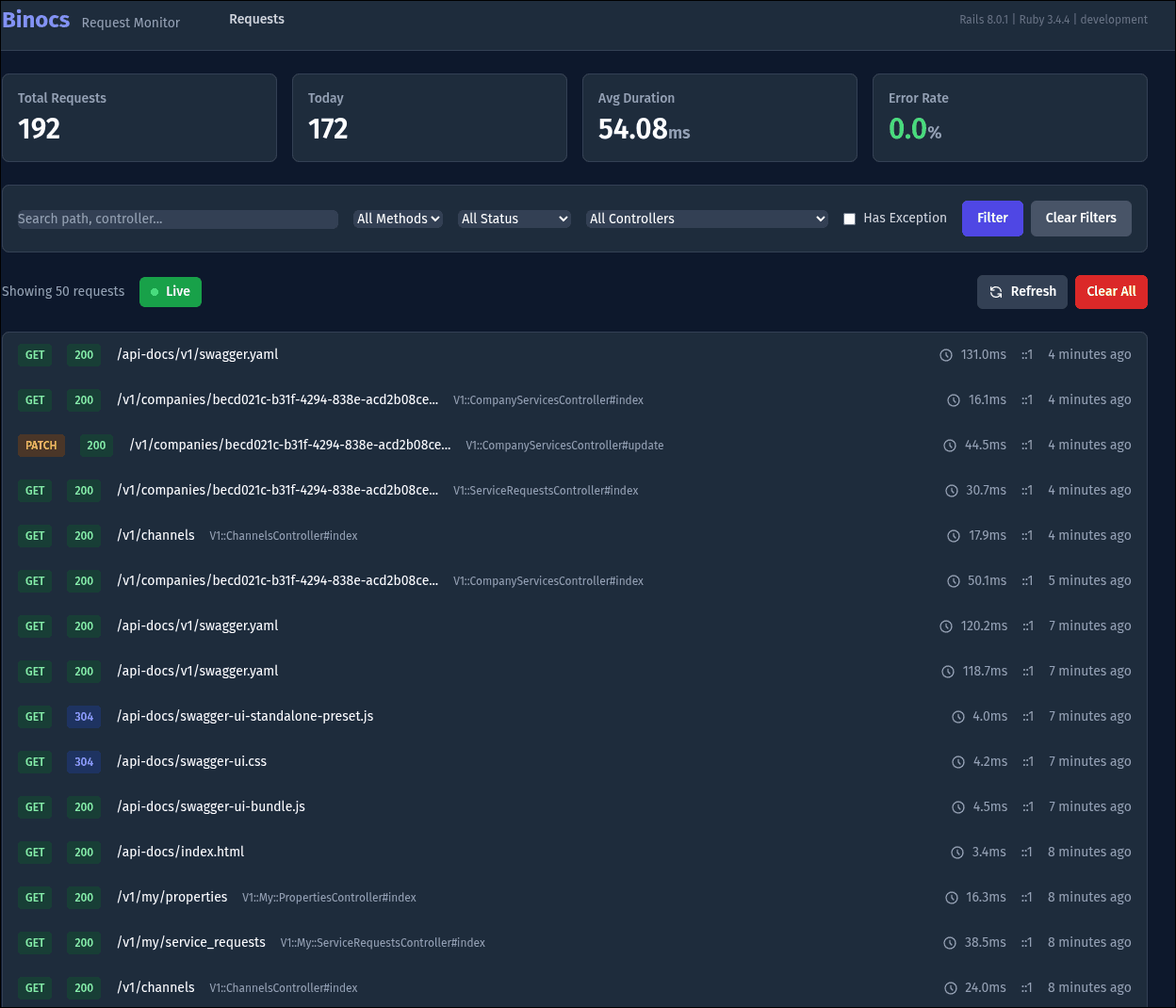
Two interfaces, one mission
Browser or terminal. Your call.
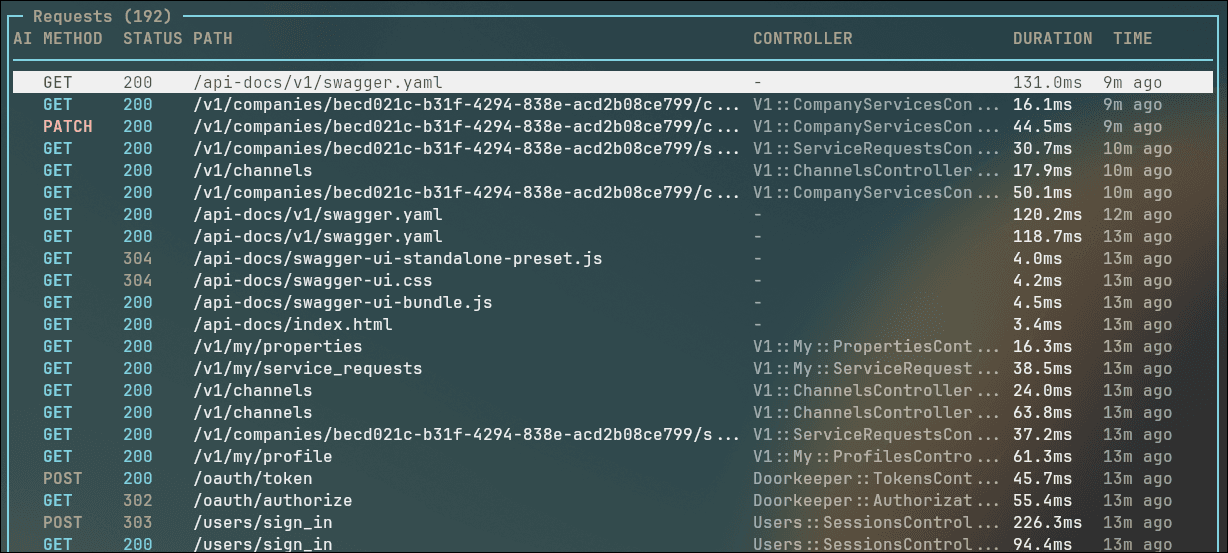
A polished web dashboard for visual inspection and a Vim-style terminal UI for keyboard warriors. Both give you full access to every request flowing through your Rails app.
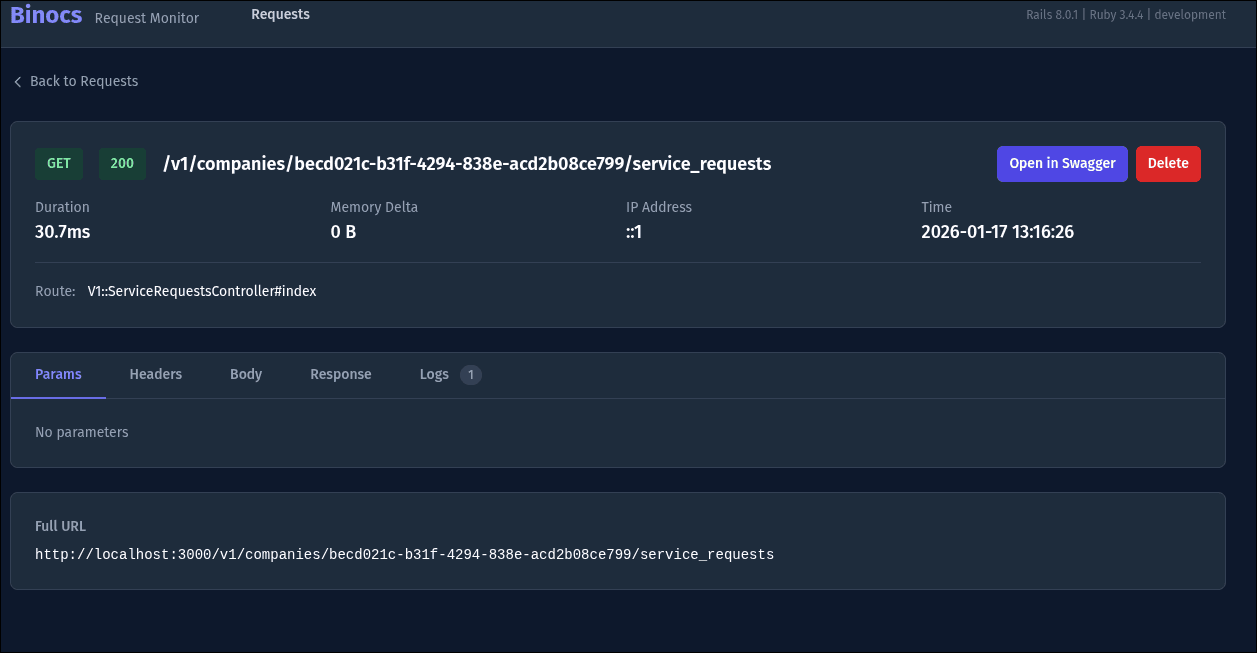
Everything you need
Built for Rails developers who ship fast.
Real-time Request Monitoring
Watch requests stream in live via ActionCable and Turbo Streams. No refresh needed — your dashboard updates the moment a request hits your app.
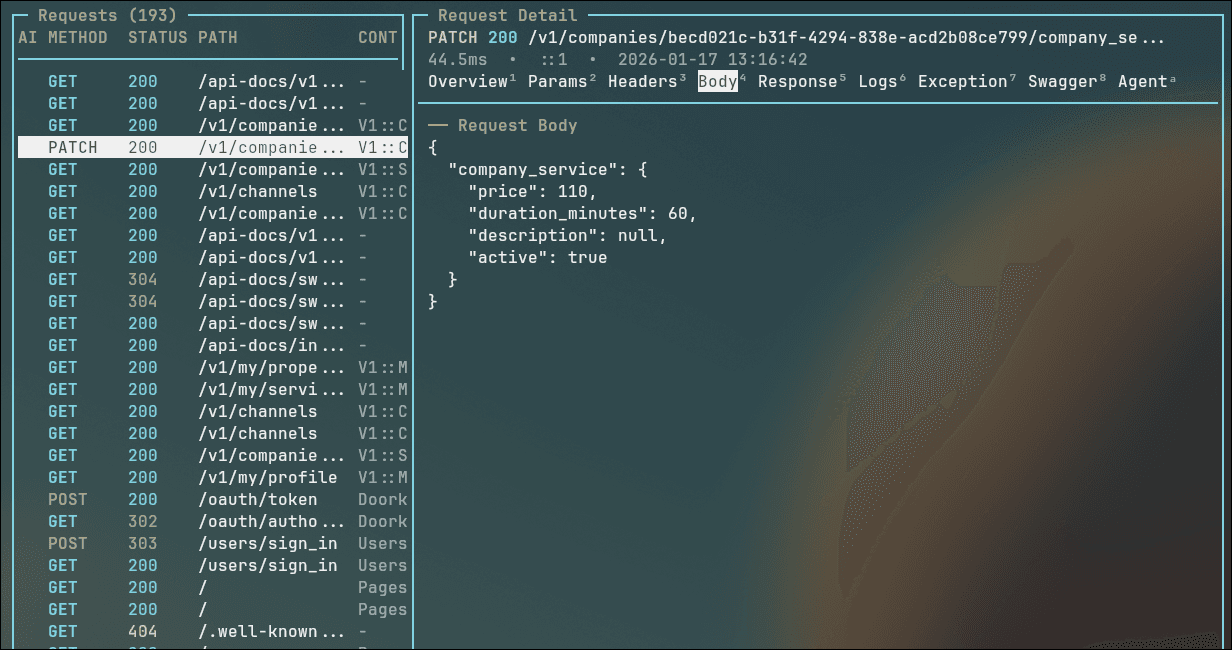
Comprehensive Request Details
Drill into any request to view params, headers, request and response bodies, log output, and exception traces — all in one place.
Powerful Filtering
Slice through noise with filters for HTTP method, status code, path, controller, and more. Find exactly what you need, fast.
Exception Tracking
Errors surface immediately with full backtraces. Quickly identify, inspect, and debug failures without leaving your monitoring view.
Performance Insights
Track request duration and memory usage at a glance. Spot slow endpoints and memory-hungry actions before they become problems.
Terminal UI (TUI)
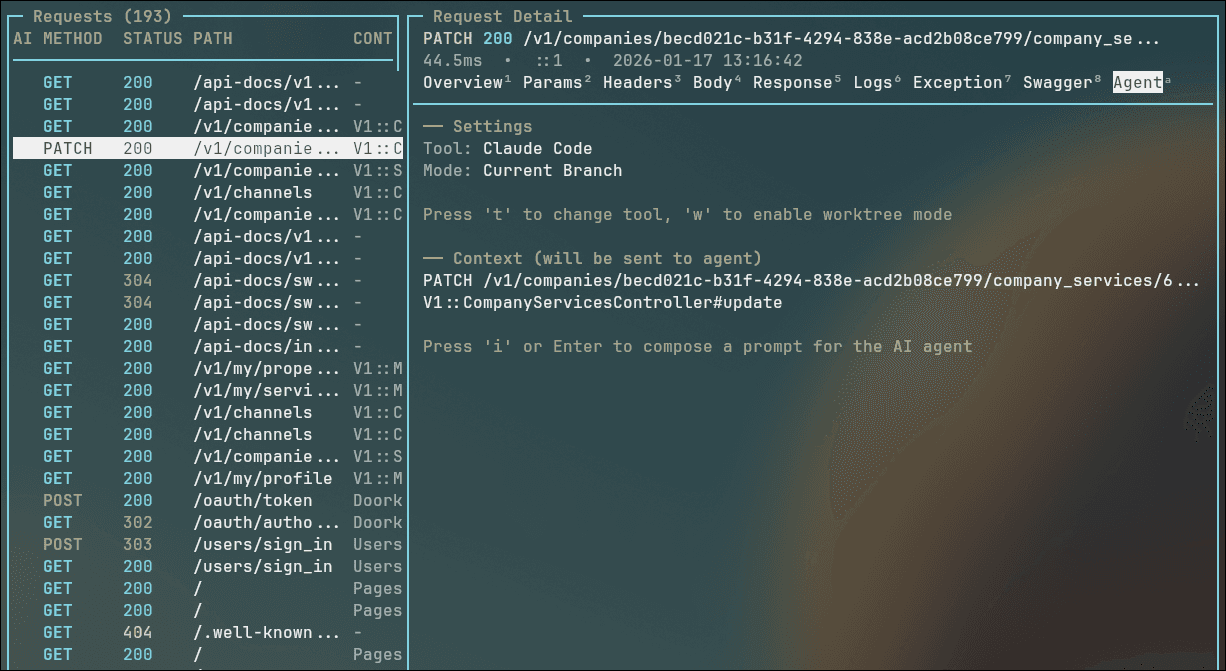
A full-featured terminal interface with Vim-style keyboard navigation. Monitor requests from the console without ever touching a browser.
AI Agent Integration
Launch Claude Code directly from any request context. Let AI help you debug, refactor, or understand complex request flows.
Production Safe
Binocs is automatically disabled in production environments. Develop and debug freely without worrying about data exposure.
Get started in seconds
Three lines. That's it.
Add Binocs to your Rails app, run the installer, and start monitoring.
Or add gem "binocs" to the :development group in your Gemfile.
Debug with AI, right from the request.
Binocs integrates with Claude Code so you can launch an AI agent directly from any request's context. The agent sees the controller, action, params, and full backtrace — giving it everything it needs to help you debug, refactor, or understand complex request flows.
- Launch Claude Code from any request detail view
- Full request context passed to the AI agent automatically
- Switch between current branch and worktree modes
- Compose custom prompts with pre-loaded context
Open source. Built in the open.
Binocs is free, open source, and built by Zincan. Contributions, issues, and stars are always welcome.